How the scan reads a website
An address, a few public pages, a list of known signatures and a public scoring grid. Nothing else.
The principle in three steps
You type a website address. The Pilot Conform server fetches its public pages, compares them with 35 known signatures and shows the report on the Pilot Conform page. That is why you stay on our site: the checked site is not opened, changed or notified.
- Your browserYou give the address and start the scan.
- Pilot Conform serverIt fetches the public pages and compares them with the known signatures.
- Site checkedIt is only read: not opened in your browser, not changed, not notified.
The report is shown here, on the Pilot Conform page.
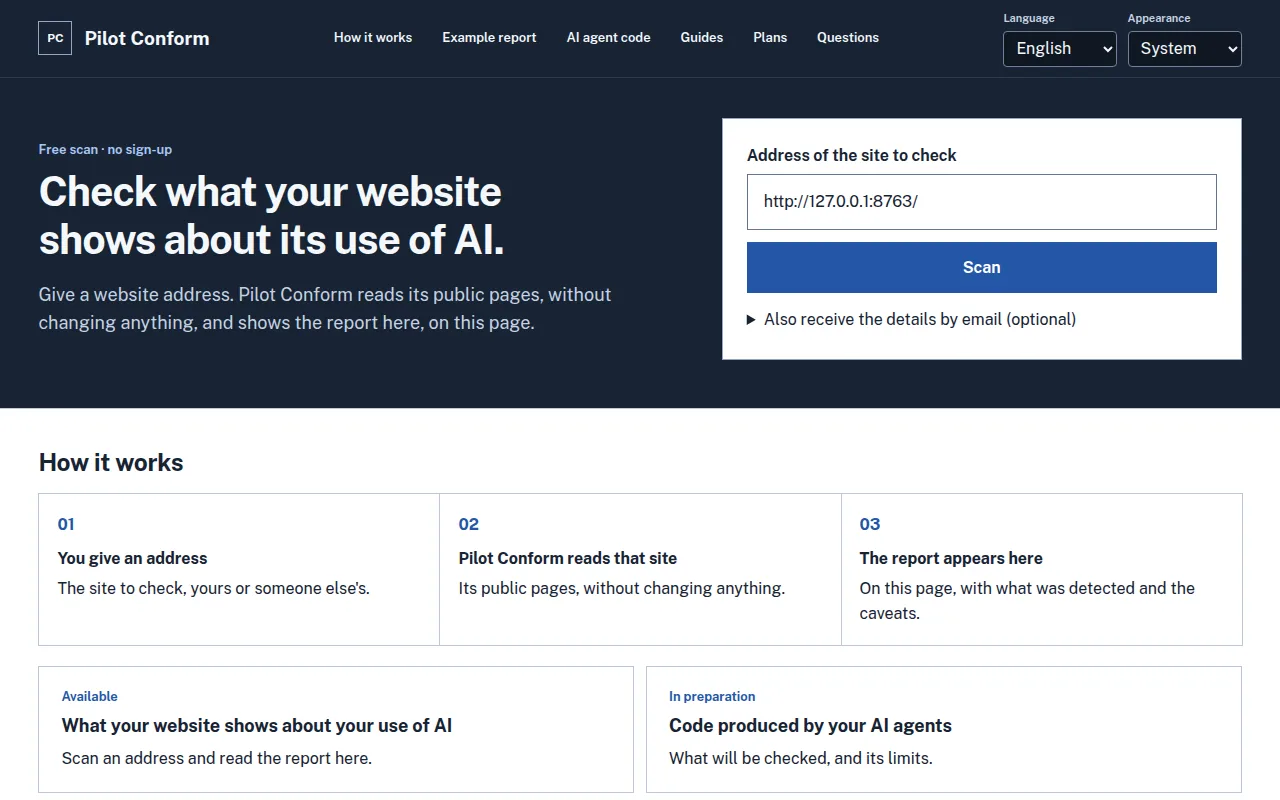
1. You type the address of the site to check. 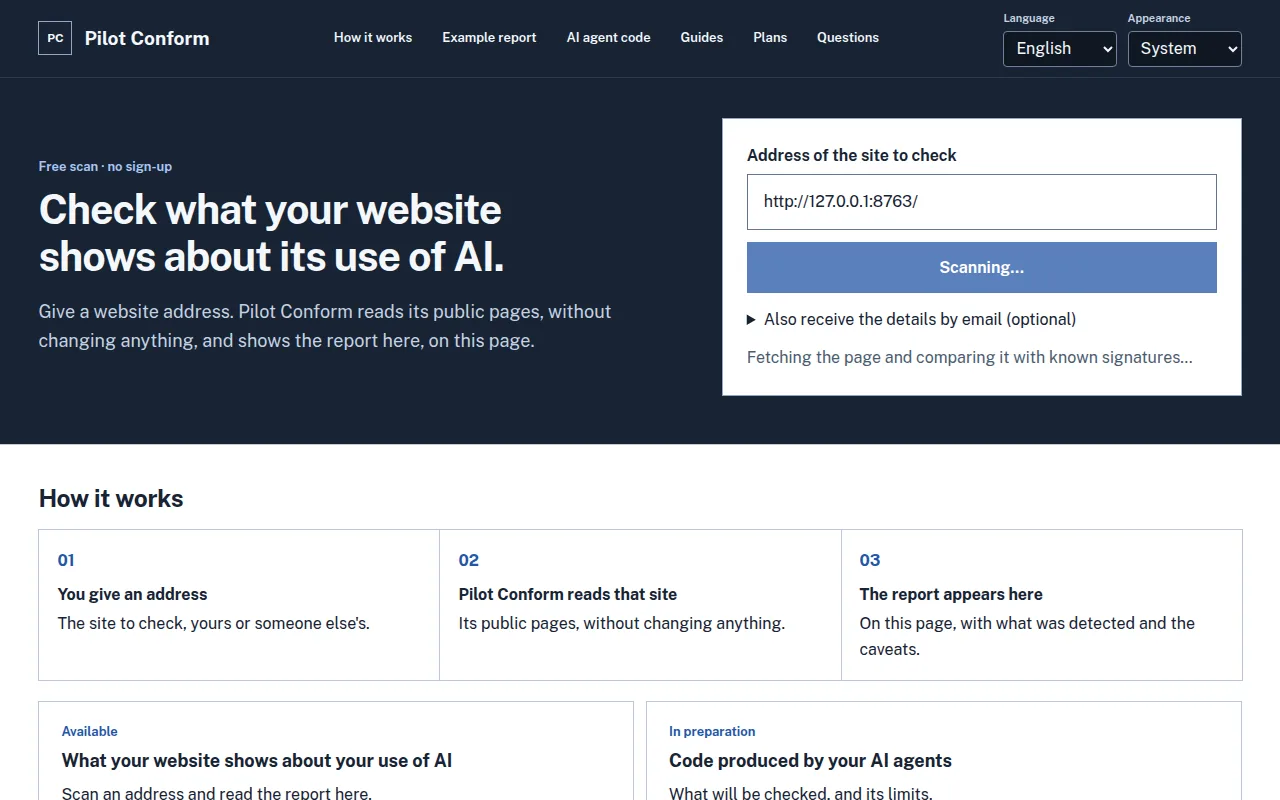
2. Pilot Conform reads that site. 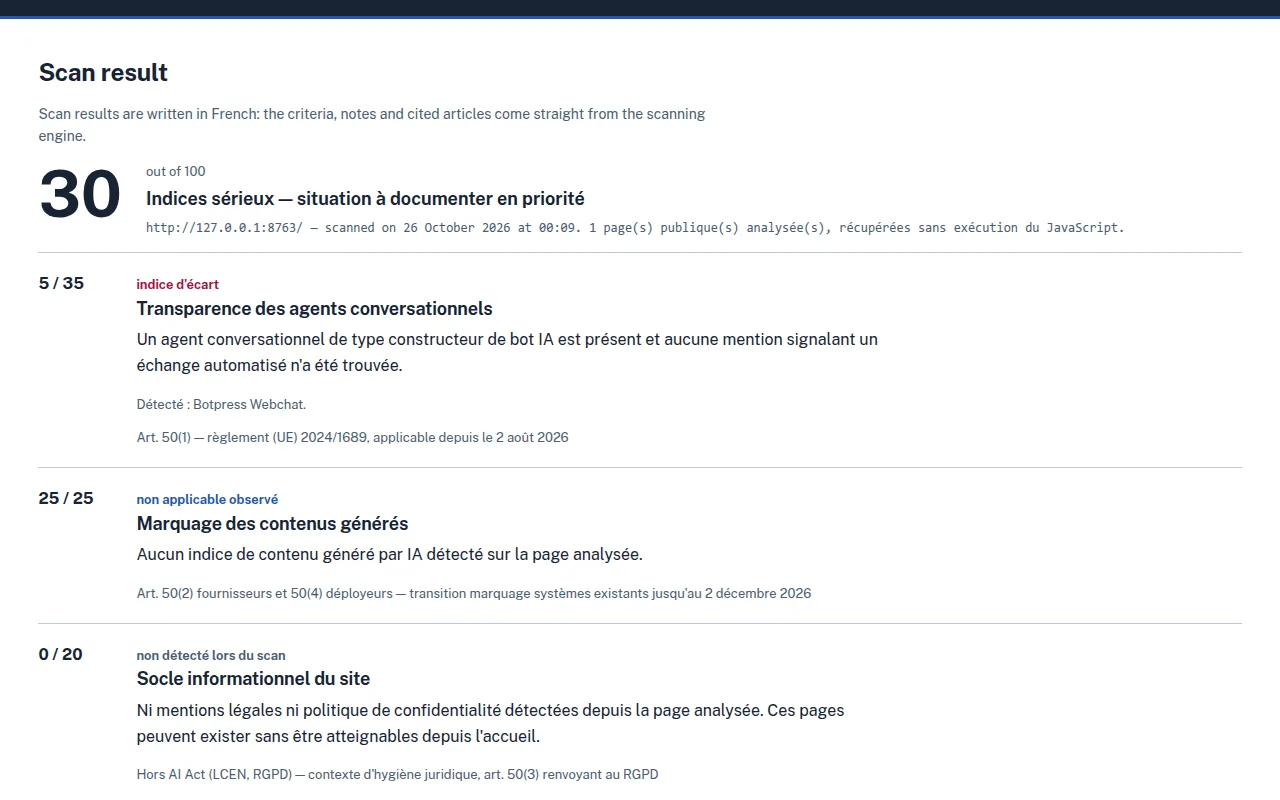
3. The report appears here, on Pilot Conform.
Real screenshots of the site, taken on 26 October 2026 on the local server while scanning a demonstration page. Captions added; result not retouched. The result itself is written in French.
What is read
- The home page, as the server sends it.
- At most three pages linked from the home page, on the same domain, and only if their address looks like a legal notice, a privacy policy, terms and conditions or an AI charter. If the home page links to none, a few usual addresses are tried (/mentions-legales, /confidentialite, /privacy…). The scan follows no other link.
- The HTML code of these pages: declared scripts, widgets, tags, visible text.
The scan identifies itself as PilotConformScanner/1.0. Each request is abandoned after 12 seconds, a page over 3 MB is not read and at most five redirects are followed.
What is not read
- JavaScript is not run. If the page has almost no text without it, a caveat is shown above the score.
- Customer areas, forms, mobile apps and internal exchanges cannot be seen from outside.
- Internal network addresses (local machines, private networks) are refused.
The scan records; it does not guess. What it could not read is reported as such.
The four criteria and their points
Each criterion starts at its maximum and loses points when a sign of a gap is observed. A criterion that does not apply, for instance no chatbot on the site, keeps its maximum: the score never penalises the absence of AI.
- Transparency of chatbots35 points
- Labelling of generated content25 points
- Basic site information20 points
- AI governance on display20 points
Each criterion starts at its maximum and loses points when a sign of a gap is observed.
| Criterion | Points | What is observed | Reference |
|---|---|---|---|
| Transparency of chatbots | 35 | A chat widget or bot builder on the page, and a notice saying the exchange is automated. No widget: the criterion does not apply and keeps its maximum. | Art. 50(1) — Regulation (EU) 2024/1689, applicable since 2 August 2026 |
| Labelling of generated content | 25 | Signs of generated content (leftover text, avatar videos, calls to an AI service from the page) and a visible label or provenance metadata. | Art. 50(2) providers and 50(4) deployers |
| Basic site information | 20 | Links to the legal notice and privacy policy from the home page. A page not found is reported as "not detected", never as missing. | Outside the AI Act (French LCEN, GDPR) — general good practice; Art. 50(3) refers to the GDPR |
| AI governance on display | 20 | An AI policy or charter page, a mention of staff training. This criterion only counts signs that are present: nothing requires these pages. | Voluntary good practice; Art. 4 (AI literacy) for information only |
Scoring grid version 1.0 of 21 August 2026, read from the service configuration each time this page is built.
Limits to keep in mind
A chat widget may be run by humans: the scan flags it as a point to check, not as an established fact. A legal notice page may exist without being linked from the home page. And part of the Regulation's obligations cannot be seen on a website.